How Lovable and Bolt Work: Architecture of AI App Builders
 Luke Lombardi
AI coding apps are exploding.
One day, we saw one of those ridiculous revenue charts from an AI coding startup and thought: what's actually happening under the hood?
If you're in software, you've probably tried an AI app builder this year. Maybe you tried Lovable, Bolt, or v0.
The sudden explosion of these apps isn't just because the models are better. It's because our industry has finally figured out the engineering principles behind agentic apps that work (hint: it's a lot more software engineering than AI magic).
We wanted to dig into the exact workflow you'd use to build one of these apps in the real world, so we built our own Lovable clone to find out.
At Beam, we provide a serverless infra platform for AI apps. A common use case is securely running LLM-generated code using our Sandbox feature, which powers the app we'll build below.
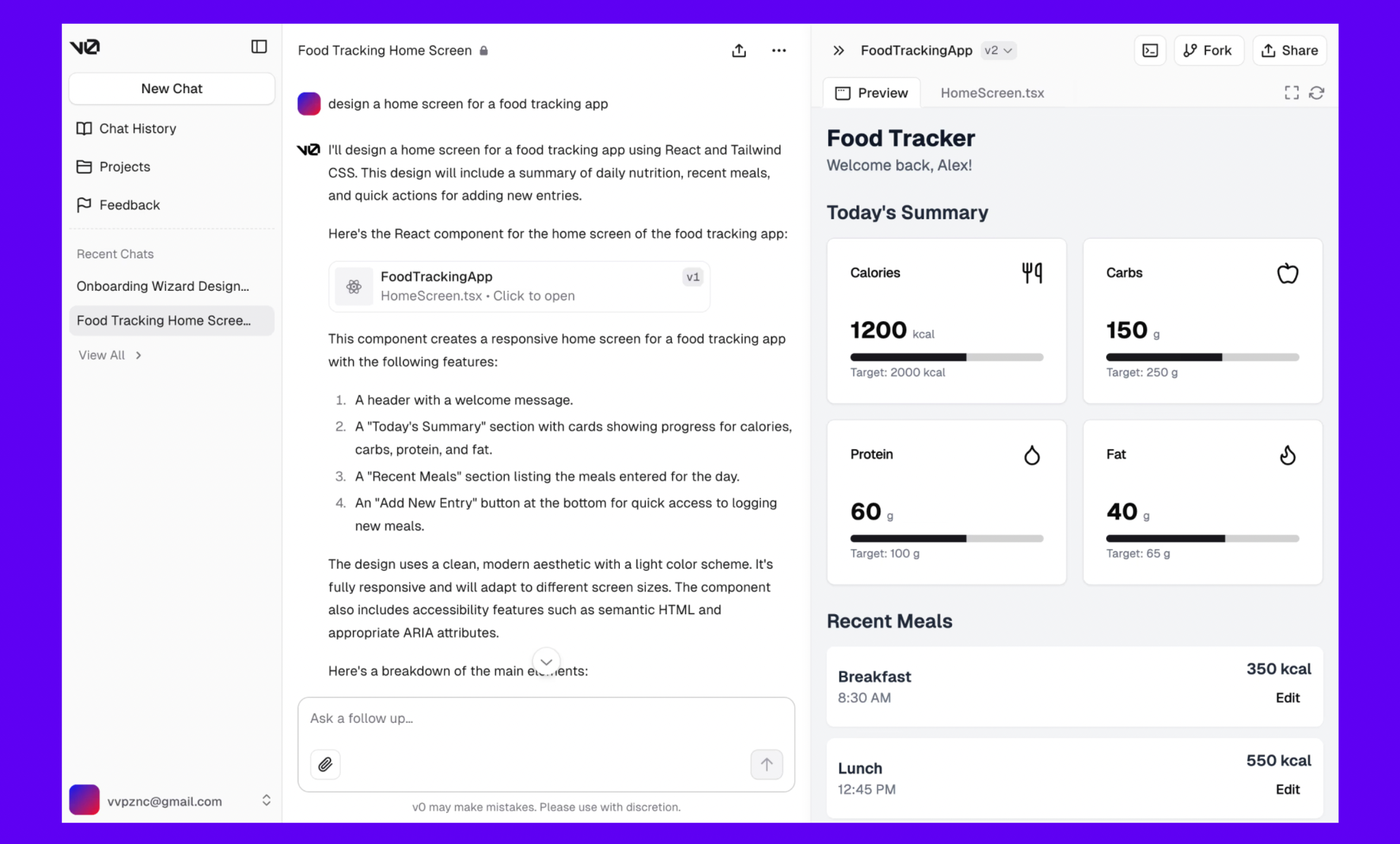
Lovable and Bolt feel simple from the outside: you describe an app, and a working preview appears. Under the hood, the architecture is closer to an agentic development environment. A planner turns the prompt into tasks, code-generation agents edit files, a sandbox runs the app, logs and errors are fed back into the loop, and deployment connects the generated app to real infrastructure.
This post breaks down that architecture and shows how to build a smaller version using agents, MCP, a sandboxed runtime, and a preview loop.
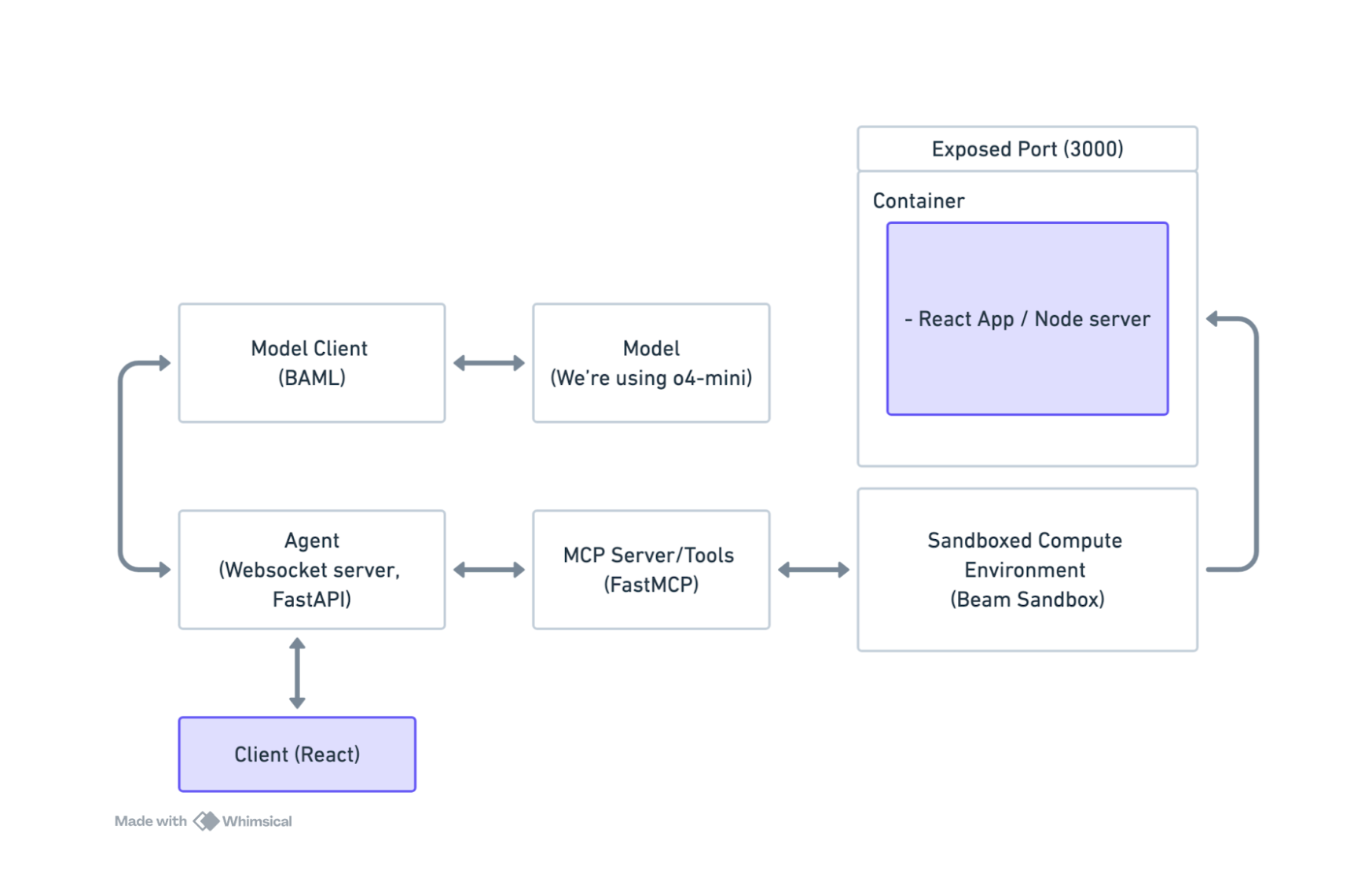
TL;DR Architecture Diagram
The core loop is not just LLM writes code. The important pieces are the sandbox, the preview environment, the file system, the error feedback loop, and the deployment boundary.
How Lovable Works Under the Hood
A Lovable-style builder starts by turning a prompt into an implementation plan. From there, code-generation agents edit files, the app runs inside a preview environment, errors are collected, and the loop repeats until the app reaches a usable state.
Lovable vs Bolt Architecture
Lovable and Bolt solve a similar problem, but they emphasize different runtime assumptions.
Lovable is tightly associated with full-stack app generation and Supabase-backed application primitives like database, auth, storage, and edge functions. The generated frontend can interact directly with Supabase using public client keys, while sensitive logic belongs behind server-side functions and Row Level Security policies.
Bolt is closely associated with browser-based development through WebContainers. That makes the preview loop feel immediate because the generated app can run inside the browser environment. The tradeoff is that production architecture still has to be designed explicitly: database access, auth, secrets, background jobs, and deployment are separate concerns.
In both cases, the visible magic comes from the same architectural loop: plan, edit files, run the app, inspect errors, and iterate.
The Sandbox and Preview Layer
The sandbox is one of the most important parts of an AI app builder. It gives the agent somewhere to write files, install dependencies, run commands, start a dev server, and collect logs without touching production infrastructure. See the sandbox alternatives guide for related infrastructure tradeoffs.
For a production-grade builder, the sandbox should support resource limits, isolated file systems, process control, logs, preview URLs, and cleanup. If the generated app needs AI inference, background work, or GPU tasks, the sandbox layer also becomes part of the compute layer.
Production Limits of AI App Builders
AI app builders are excellent at producing a working first version, but production quality depends on decisions the model may not make correctly by default:
- Database schema and tenant isolation.
- Row Level Security and authorization boundaries.
- Secret handling and backend-only operations.
- Background jobs and long-running tasks.
- Observability and error recovery.
- Deployment, migrations, and rollback strategy.
The most reliable AI app builder architectures make these constraints explicit instead of hoping the model infers them from a prompt.
How Agentic Apps Actually Work
There are four components to an AI coding app:
- The model client. Think of prompts as RPC calls.
- An environment for the user / model to interact with. This usually takes the form of code sandboxes (tiny VMs or containers) + an MCP server (basically another RPC framework, with some metadata that gives more context to the model about how to interact with it)
- The Agent. A loop that maintains state, routes user input to the model, and coordinates interactions between the frontend, prompt, and execution environment.
- A frontend. Usually connected to the “Agent” via a realtime protocol, like a websocket.
In this case, since we’re building a Lovable-style clone, the UX is as follows:
- User enters what they want to build
- Model receives the prompt, tries to implement the code for them
- Renders website in a “preview” iframe
- Repeat until user is satisfied with the website
Prompt Engineering with BAML
Let’s start with the prompt. We treat the prompt as a function, with logic and state.
We're using BAML, which is a model-agnostic DSL that helps us iterate on our prompts in a streamlined way. In BAML, a prompt is just a function.
You can see the complete prompt here.
Notice that we can write test cases, which let us iterate on our prompt before we move on and start integrating it into our agent loop.
The core idea is to pass in a bunch of delimited code and tell the model to make changes based on the user feedback. There are some additional guidelines that try to steer the model towards using the right dependencies, styles, etc.
Spinning Up the MCP Server
Once we had a working prompt, the next step was building the infrastructure around it.
We’ll be using FastMCP, a lightweight framework for building MCP servers, and Beam to host the compute serverlessly on the cloud.
The flow here is:
- User enters what they want to build into a text input
- Spin up a Beam sandboxed compute environment and clone a basic template repository to work from (using the MCP server)
- The agent interacts with additional tools that will allow the model to download and edit the code in the Sandbox.
To set up the sandbox environment programmatically, we’ll use a Beam Sandbox:
You can view the rest of the code for the MCP server on Github here.
Deploying a Functional AI App Builder
The last component is the Agent itself, which is just a websocket server that processes events from the client.
Check out the code for the agent here.
When the client/user connects to the websocket server, we will spin up a new Sandbox for the preview environment.
As user messages come in, we will continuously call the EditCode prompt/RPC, and update the code inside the Sandbox.
That’s created by adding a @realtime decorator, which is just a simple decorator that lets you spin up a serverless websocket server in the cloud.
The Finished Product
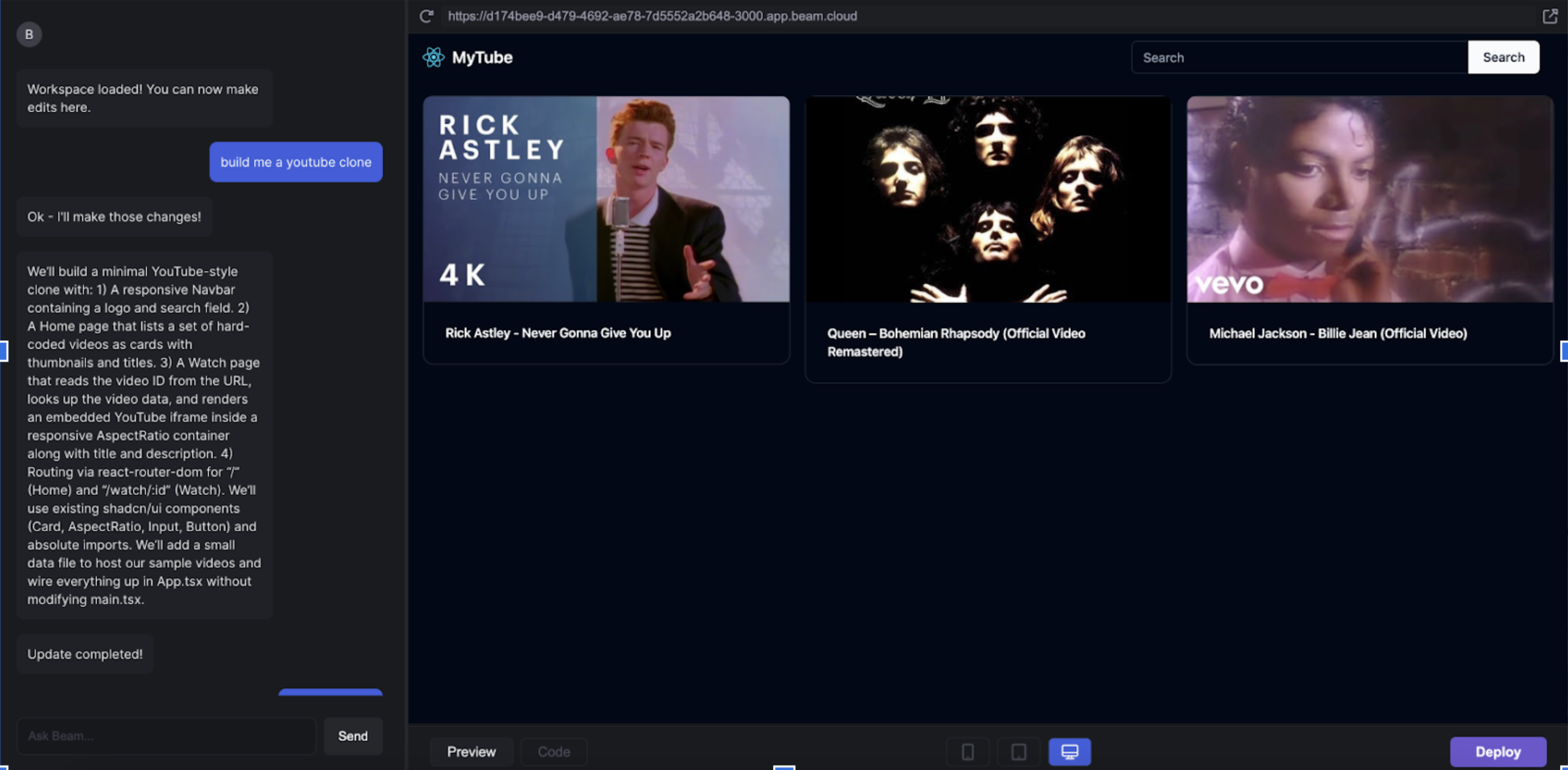
With the frontend running, we'll get a functional AI app builder.
The result is a fully interactive app builder that responds to user feedback in real time and generates live previews on the fly.
A user can enter a prompt (build me a Youtube clone), and get a functional, live web app, hosted behind an HTTP URL on the cloud.
What We Learned
Before building this, we figured that Lovable-style apps were possible because the models were getting better. But that ended up being only a small part of the equation. These are the most important insights we learned:
- Prompt engineering is important. You can find examples of good prompts using this list of system prompts.
- Context engineering is more important. A good prompt is useless without the right context. Apps like Lovable require long contexts to work well. What makes these apps work isn’t LLMs, but wrapping them in guardrails like typed prompts with BAML, tests, and retries.
- Testing prompts like code is underrated. BAML is such a powerful tool because it makes it easy to iterate on prompts, and treat prompt engineering like test-driven development.
The architecture behind AI-coding apps is repeatable.
You don't need a better model to build an AI-coding app, you need better system design: prompt structure, context management, sandboxing, and a good test harness.
This is what makes apps like Lovable actually work.
It's not magic. It's just software engineering.
The code for this post is available on Github. If you build something with this architecture, we'd love to hear from you!
Notes
Thanks to Dexter Horthy and Vaibhav Gupta for offering us their advice for this article.