Top Python Web Frameworks: Flask, Django, and FastAPI
 Hassaan Qadir
Flask and Django have long been the dominant Python web frameworks, but FastAPI is emerging as a new option, tailored for the efficient deployment of APIs to web endpoints. We’ll go over all three and include Hello World tutorials in each framework.
Choosing the right web framework for your project
Flask is a micro-framework with minimal boilerplate created in 2010. It’s good for beginners and those looking to deploy small projects ASAP, but is bad for integrating databases, authentication, or scale. Use Flask to get your Python onto the web, but switch to Django or FastAPI if things get going.
Django is a full framework from 2005 that strikes a balance between rapid development and built-in, opinionated ORM, authentication, and admin panels. Django can scale from a prototype to an enterprise product, but can be confusing and requires a lot of boilerplate upfront.
Built in 2018, FastAPI focuses on building efficient, asynchronous APIs. It supports ASGI/uvicorn (as compared to WSGI/Gunicorn) and automatically generates documentation based on your code. FastAPI is great for deploying an efficient API with a simple frontend, but lacks many libraries for authentication, databases, or admin access.
Building Hello World Apps in Each Framework
Let’s use each framework to build a simple Hello World project:
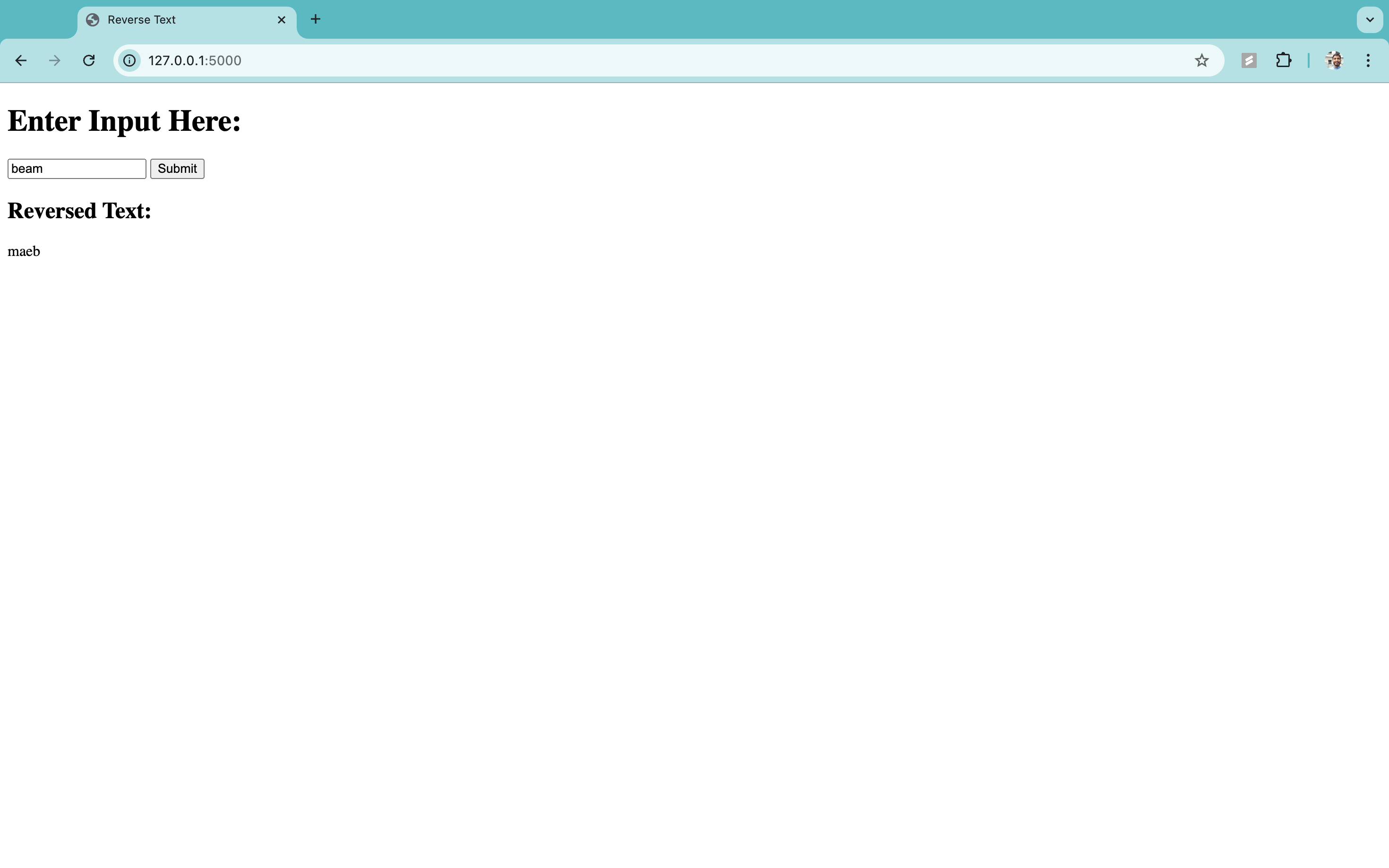
- Home page with a text box asking the user to enter input.
- When the user submits the input, the text will be reversed and displayed back.
Flask Hello World Project
Minimal Directory Structure
Use the following commands to create this directory structure:
Then, copy the following code into the appropriate files:
1. app.py
2. templates/index.html
How to Run the Project:
1. Install Flask if you haven't already:
2. Run the Flask app within flask_reverse:
3. Open your browser and go to http://127.0.0.1:5000/.
Django Hello World Project
Step 1: Create a new Django project
First, install Django:
Then, create a new Django project by running the following command in your terminal:
Navigate into the project directory:
Step 2: Create a new Django app
Create a new app called reverser:
Step 3: Modify the Project Settings
Open the reverse_text_project/settings.py file and add 'reverser' to the INSTALLED_APPS list:
Step 4: Create a URL Configuration for the App
Create a urls.py file inside the reverser app directory (reverser/urls.py) and set up the route for the home page:
In the project's main urls.py file (reverse_text_project/urls.py), include the reverser app URLs:
Step 5: Create the View for Reversing Text
Now, define the home view in the reverser/views.py file to handle the form input and return the reversed text:
Step 6: Create the HTML Template
Create a templates folder inside the reverser directory, then create a reverser folder inside templates. Inside the templates/reverser/ folder, create a file named home.html:
Step 7: Run the Django Development Server
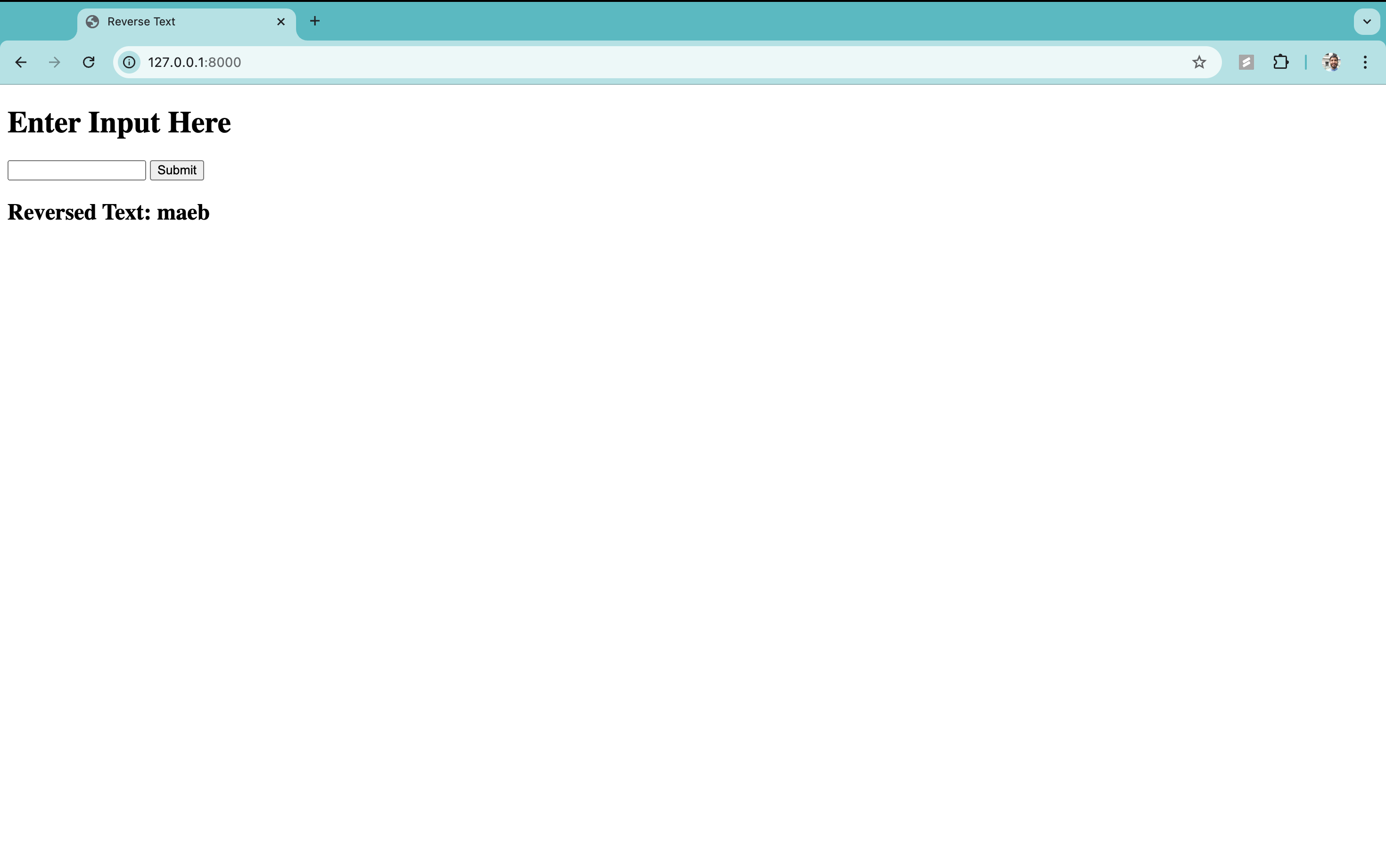
Finally, run the Django development server to see the application in action at http://127.0.0.1:8000/:
FastAPI Hello World Project
First, install the required packages:
Then create the following project structure:
You can use these commands:
Fill in the appropriate files with the following code:
1. main.py
2. templates/index.html
Running the Project
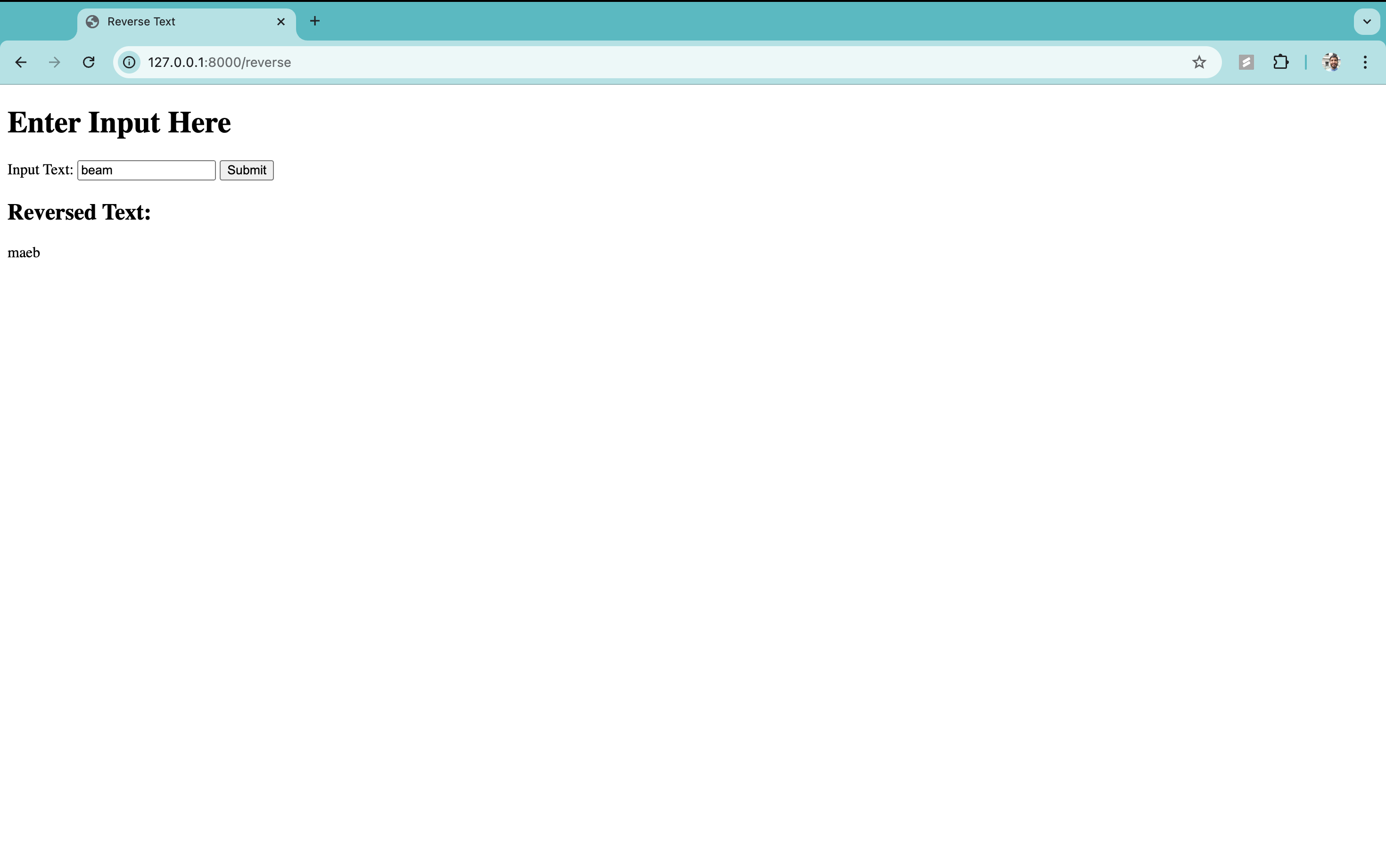
In your terminal, run and find the app athttp://127.0.0.1:8000:
Latency Benchmarks
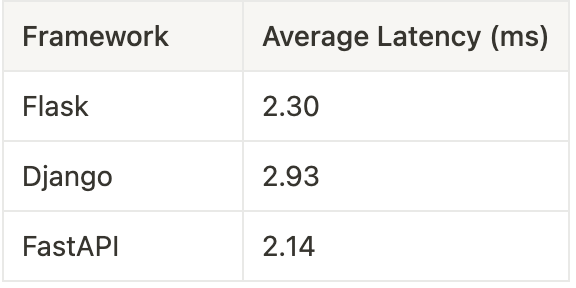
I ran 100 requests to each framework hosted on an identical AWS EC2:
Which web framework is best for your use case?
I would always choose Django over Flask because Django’s built-in libraries for authentication, databases, and security will save you from reinventing the wheel, and even though Flask has less boilerplate, LLMs make this point moot.
Use FastAPI if you're building a high-traffic API that requires real-time request/response cycles, like a chat app or a multiplayer game. But until you need that optimization, stick with Django.
How to integrate GPU Compute?
Once you’ve decided on a Python framework to serve your API, you’ll need to deal with the backend computation. If you need GPU compute, you could allocate an EC2 instance with GPUs. But your GPU usage is probably spiky—sometimes very high, oftentimes zero—so you’d be wasting a lot of money through EC2.
Consider Beam, which provides on-demand, serverless GPUs. When users are calling inference on your LLM, Beam provides instantaneous GPU compute. When they stop calling inference and are just scrolling through their data, Beam goes to zero. This way, you only pay for the compute you actually use, millisecond by millisecond.