
Transcription with Faster Whisper
 Eli Mernit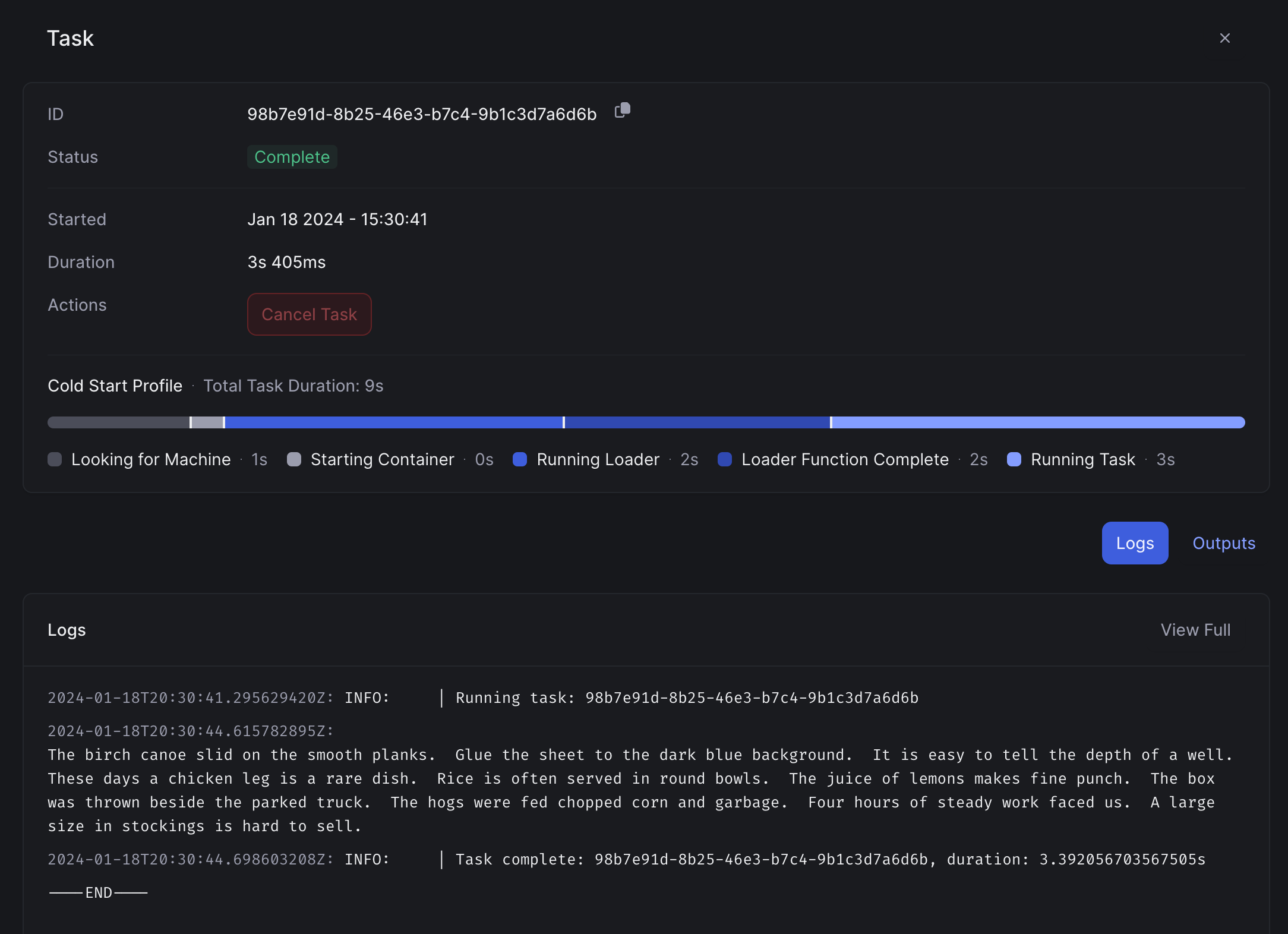
Faster-Whisper has been developed as a re-envisioned version of OpenAI Whisper. As a recap, OpenAI Whisper is a robust speech recognition model. It is an extremely popular choice for transcription jobs, like transcribing phone calls, podcasts, or customer interviews.
In this article, we'll walk through a step-by-step guide to deploying Faster-Whisper to a serverless GPU endpoint. By the end of the article, you'll have a Whisper API that can take in audio files and generate text transcripts in response.
Cloud GPU Environment for Faster Whisper: Initial Set-Up
In this example, we'll use Beam to run Whisper on a remote GPU cloud environment.
Let's dive into the code. The first thing we'll do is specify the compute environment and runtime for the machine learning model. Below, you'll see us define a few things in Python:
- Compute requirements, including a GPU
- Python and system-level packages to install in the runtime
- A custom CUDA image from NVIDIA
We're also adding a Beam storage volume to cache the model, so that it won't have to be retrieved from the internet each time the API is invoked.
Deploying Faster Whisper for GPU Inference
With the code prepared, we can deploy this as a serverless REST API for running inference.
You’ll deploy the app by entering your shell, and running:
beam deploy app.py
When you run this command, Beam will spin up a container on a cloud GPU, build a custom container image with your Python packages, base image, and dependencies, and expose that container to the internet via a REST API.
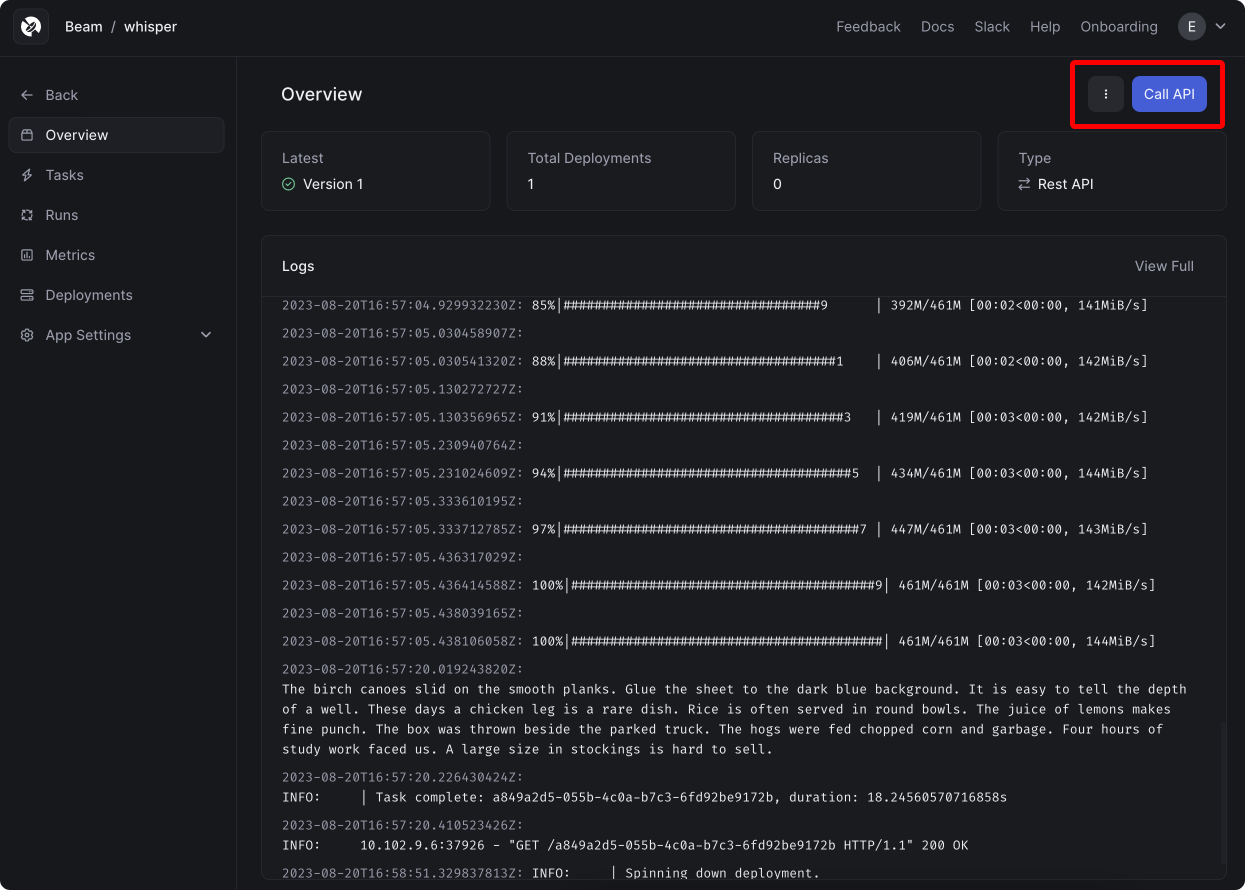
You'll see a browser window open to a web dashboard, where you can monitor the remote deployment logs:
Calling the Whisper API
After deploying your app, you'll be shown an API request to invoke the endpoint.
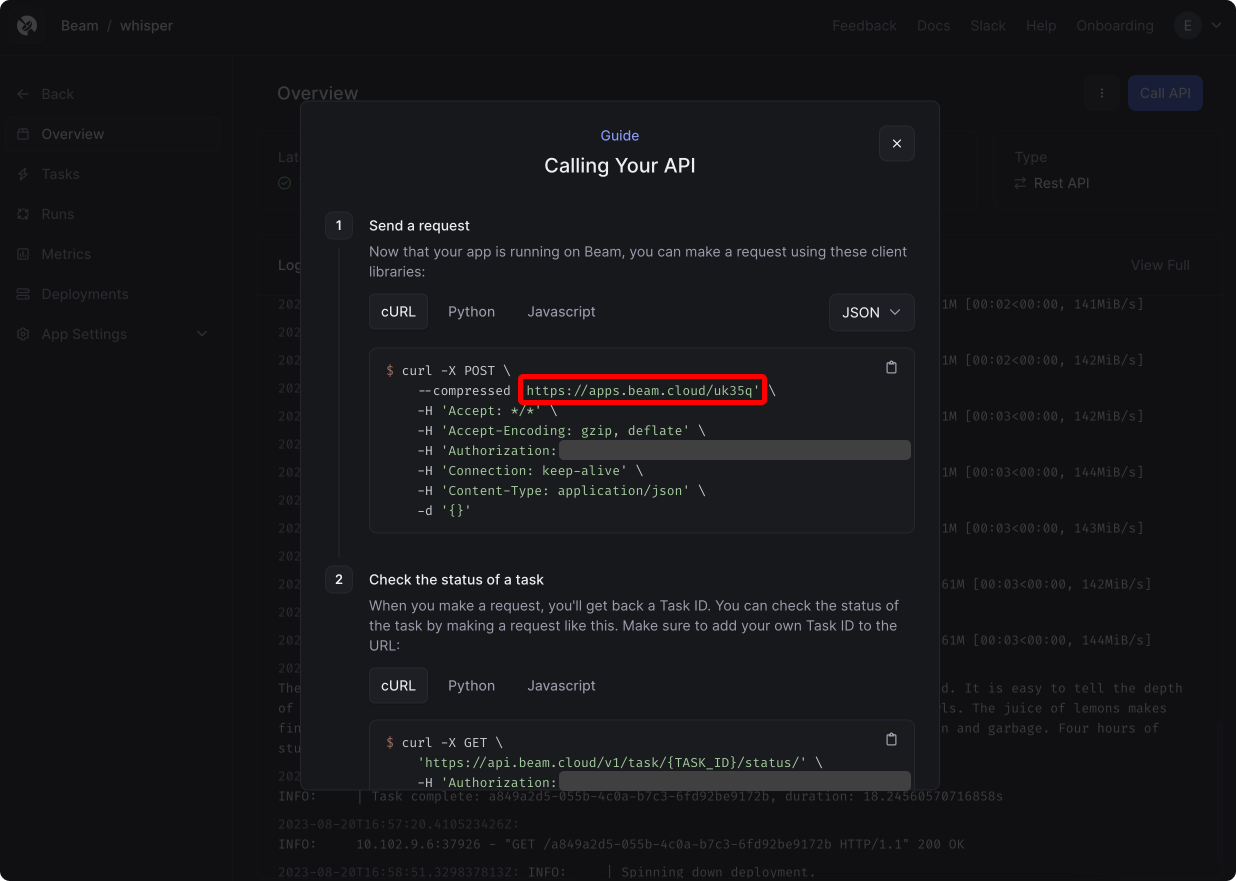
You can invoke this through a cURL request, or as a Python request. Here's a script to invoke the API from a Python file. Be sure to customize this with your own Beam credentials and app ID:
After running this script, you'll see a new task appear in the web dashboard.
If you look closely, you'll see a text transcript of the audio files that were passed in: