
How Raven Scaled to 3,000,000 Inference Requests in 1 Month With Beam

Introduction
The AI revolution is upon us, with tools like ChatGPT, Claude, and Midjourney becoming household names. As builders, hackers, and innovators, we’re all excited to see the rapid progression of AI and its potential to transform industries. However, integrating AI into real-world applications comes with its own set of challenges, particularly when it comes to building, shipping, and maintaining systems that can scale with user demand.
Building Raven
When I first started building the API behind Raven, I grappled with several issues. As a small startup, I needed a solution that was cost-effective, fast, and could scale with user demand. I wanted the flexibility of serverless architectures and microservices, but the complexity of GPU and AI model deployment seemed daunting.

Raven began as GeoSpy, a simple demo that gained traction on Reddit. But soon, it started spreading across the entire internet.

As the project grew, I started receiving interest from enterprise clients who wanted to integrate Raven’s capabilities into their own applications. These clients had demanding requirements - they needed to make hundreds of thousands of requests per day with minimal latency and bursts of traffic. Scaling Raven to meet these requirements was a significant challenge.
Searching for an infrastructure solution
One of the biggest challenges when it comes to scaling AI as a small startup is managing the complexity of multiple models. When we’re in the research and development phase, we often come up with a variety of models, systems, and approaches that we want to integrate into our workflow. Many of the best platforms use a series of models to accomplish a task or improve a product or process.
However, scaling and building out an AI inference infrastructure for a single model is one thing; doing that with multiple models that all need to be updated, improved, and maintained over time can be a daunting prospect. Each model may have its own set of dependencies, performance characteristics, and resource requirements, making it difficult to manage them all effectively.
Discovering Beam
That’s when I discovered Beam, a serverless GPU cloud provider that makes it incredibly easy to deploy AI applications at scale. With Beam, you can instantly containerize any Python function and run it on a GPU with just a few lines of code. Simply tell Beam how many GPUs you need and which libraries you want installed, and it will spawn a remote environment for you.
Autoscaling Workflow
Beam’s autoscaling capabilities allowed me to automatically scale the number of replicas based on the volume of incoming requests, ensuring that the API remained responsive even during periods of high traffic. Here’s an example of how I configured autoscaling for Raven using Beam:
Beam’s performance optimizations, such as pre-loading models and caching them in storage volumes, also helped reduce the latency of individual requests. By minimizing the time spent downloading models for each request, I was able to ensure that Raven remained fast and responsive, even under heavy load.
Model management and versioning
With Beam, you can easily deploy and manage multiple models within a single application. Each model can be containerized and deployed as a separate serverless function with its own set of dependencies and resource requirements. Beam takes care of orchestrating these functions and scaling them independently based on the volume of incoming requests.
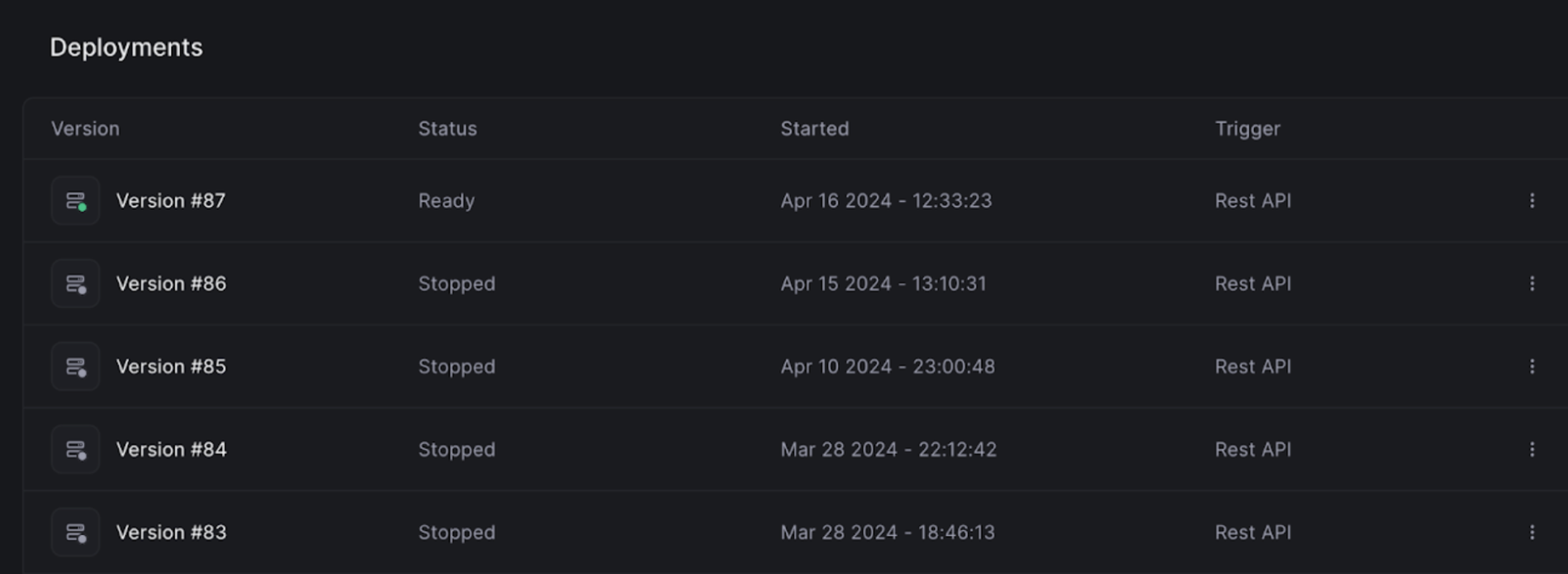
One of the standout features of Beam is its deployment versioning system. As you can see in the image above, Beam allows you to track and manage multiple versions of your deployed applications.
Each version is tagged with a unique identifier, status, and timestamp, making it easy to keep track of your deployment history.
This versioning system is incredibly valuable when you’re iterating on your AI models and need to roll back changes quickly. If a new version of your model isn’t performing as expected, you can simply revert to a previous version with a single click. This level of flexibility and control is essential when you’re working on complex AI projects with multiple moving parts.
Monitoring and telemetry
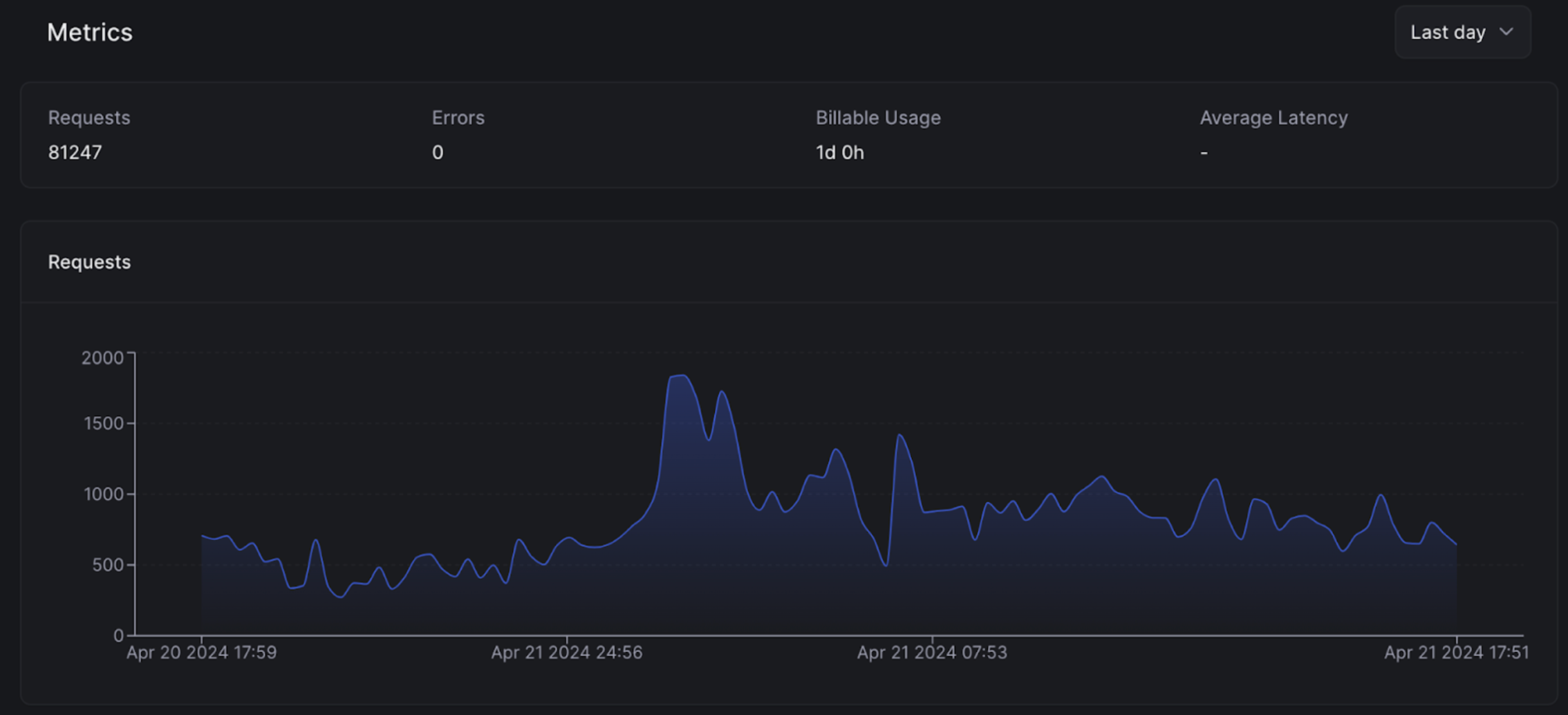
This shows Beam’s built-in monitoring and analytics tools, which provide real-time insights into your application’s performance. You can track key metrics like request volume, error rates, and latency, allowing you to identify and diagnose issues quickly.
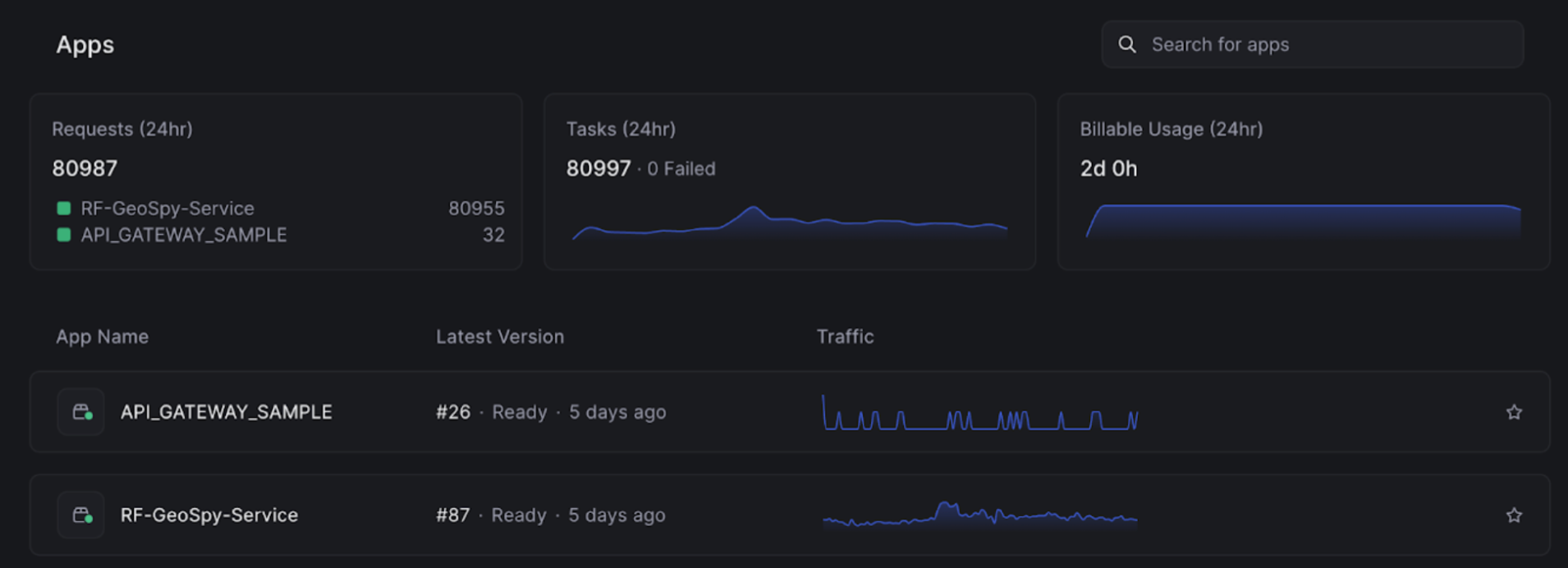
These monitoring tools are particularly valuable when you’re scaling your AI applications to handle large volumes of traffic. By keeping a close eye on your application’s performance, you can proactively identify and address bottlenecks before they impact your users.
Finally, the image below demonstrates Beam’s intuitive dashboard, which provides a high-level overview of your application’s status and resource utilization. In this example, we can see that the application is running version 85 and has 2 active replicas. The dashboard also shows the CPU, memory, and GPU utilization, making it easy to understand how your application is consuming resources.
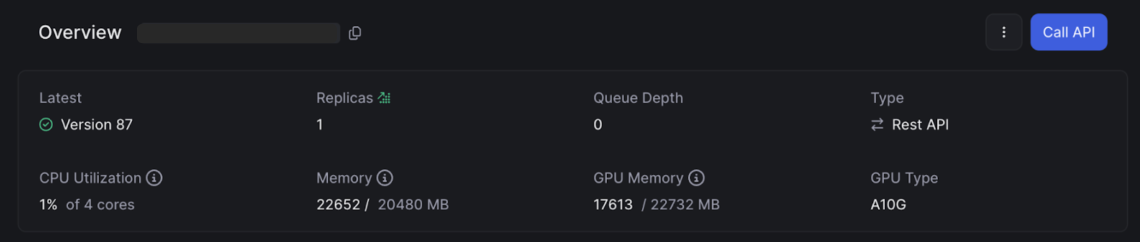
This level of transparency is crucial when you’re running AI workloads, which can be resource-intensive and costly. By monitoring your resource utilization closely, you can optimize your application’s performance and cost, ensuring that you’re getting the most value out of your Beam deployment.
Developing locally with deployment previews
One of the most impressive features of Beam is its live-reloading workflow. You can write code on your laptop and execute it on cloud hardware immediately, with lightning-fast build times. This enables developers to iterate on their AI models quickly and efficiently, without the usual delays associated with cloud deployments.
Pricing and cost advantages
In addition to these technical benefits, Beam’s pricing model also made it an affordable solution for scaling Raven. With Beam, I only pay for the resources I actually use, without any upfront costs or long-term commitments. This has allowed me to scale Raven in a cost-effective manner, while still providing enterprise-grade performance and reliability.
Conclusion
In conclusion, Beam.cloud has been instrumental in scaling Raven from a simple Reddit demo to an enterprise-grade API. Its serverless architecture, autoscaling capabilities, performance optimizations, and cost-effective pricing have allowed me to meet the demanding requirements of enterprise clients without sacrificing the flexibility and ease of development that made Raven successful in the first place.
Scaling AI as a small startup can be a daunting challenge, particularly when it comes to managing multiple models that need to be updated and improved over time. However, with Beam.cloud, you can easily deploy and manage multiple models seamlessly, allowing you to focus on building and iterating on your models, rather than worrying about infrastructure and scaling.
Beam.cloud offers a comprehensive set of tools and features for deploying, managing, and scaling AI applications. From its deployment versioning system to its built-in monitoring and analytics tools, Beam empowers startups and developers to focus on building great AI products, without worrying about the underlying infrastructure.
Start shipping on infra
you won’t outgrow.
Run sandboxes and GPU workloads on your cloud, and scale out to ours when you need to. No infra to manage.