The Best LLM for Coding: A Comprehensive Guide for Developers
 Samuel Liu
Not too long ago, using AI for coding seemed like an optional addition to tech workflows—helpful, sure, but not essential. Today, though, as Large Language Model (LLM) adoption has exploded and models like OpenAI’s ChatGPT and Anthropic’s Claude consistently outperform human software engineers, LLMs have shifted to being an essential tool for staying competitive. College students, young professionals, and industry experts alike have begun leveraging LLMs to work smarter, not harder.
AI can write boilerplate code in seconds, debug errors faster than you can Google them, and even help you pick up new programming languages and frameworks on the fly. LLMs aren’t just about convenience anymore. They’re becoming integral parts of the workflow. Companies want developers to be proficient in LLM usage, as ignoring it could mean falling behind. Simply put, in an industry that increasingly expects AI-powered solutions, the future of coding isn’t just about knowing how to write great code—it’s about knowing how to work efficiently with AI to build better, faster, and smarter.
What is an LLM for Coding?
Large Language Models (LLMs) are a type of artificial intelligence designed to understand and generate human-like text based on massive amounts of training data. With specific applications to coding, LLMs are trained on vast datasets that include open-source repositories, documentation, and coding tutorials. This allows the models to learn common programming patterns, best practices for readable and scalable code, and common debugging techniques. Frequent applications include:
- Auto-completion for code snippets with suggestions that go beyond simple syntax hints.
- Identifying and debugging errors that might take experienced developers hours to fix.
- Translating code between languages and thus allowing flexibility across tech stacks.
- Generating test cases that catch generic and edge cases before they propagate.
- Automating code reviews to ensure good code quality before integration.
- Integration into IDEs for real-time code suggestions and debugging.
Key Considerations When Choosing an LLM
Open-Source vs Commercial LLMs
LLMs are broadly categorized as either open-source or commercial (closed-source) models.
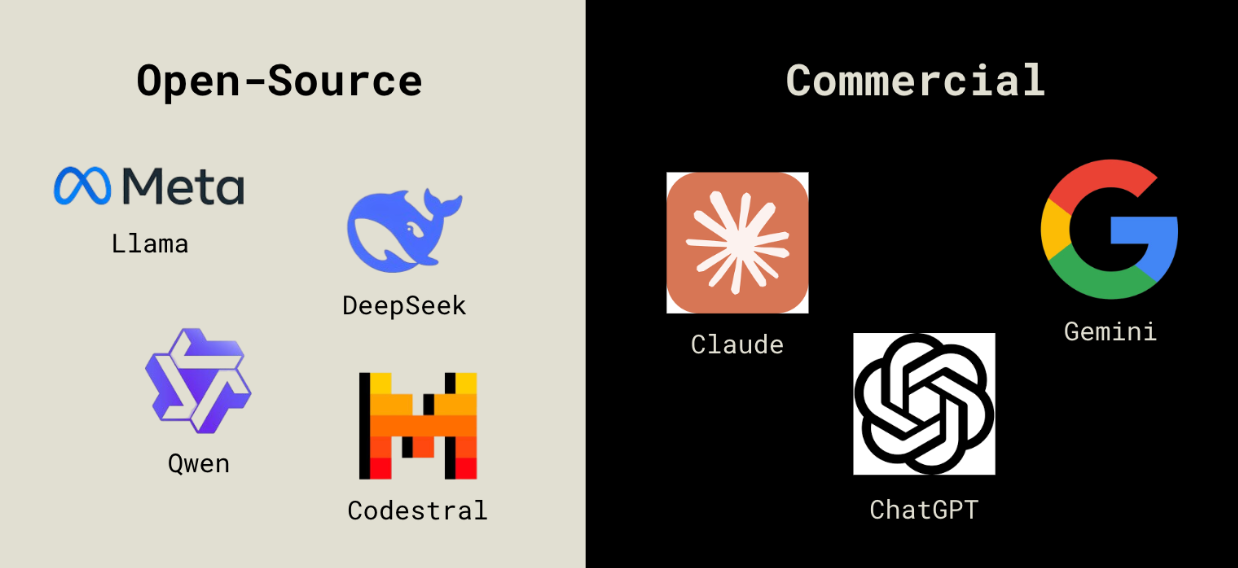
Open-source LLMs are available for anyone to use, modify, and fine-tune, allowing developers to legally modify and distribute them however they please. These models offer no restrictions on use, alteration, or distribution, as their source code is public and readily available information. These models are great for self-hosting but often offer worse performance compared to commercial models.
Commercial LLMs are closed-source, meaning that their architectures, training data, and fine-tuning methods are considered proprietary information. Other entities outside of the owners can access the source code if and only if they adhere to the owner's terms and conditions. These models typically outperform open-source alternatives because they have been trained on large-scale proprietary datasets and refined through reinforcement learning from human feedback.
LLM Benchmarks and Metrics
Not all LLMs are created equally, especially when it comes to coding. Researchers use standardized benchmarks and metrics to objectively compare LLM performance, allowing them to evaluate an LLM's capabilities in various use cases. Below are the most common benchmarks for LLM performance relating to coding.
HumanEval: this assesses how well LLMs generate correct and functional code. It consists of a set of coding problems that require models to produce solutions from scratch, effectively evaluating an LLM's ability to write, reason about, and debug code. A model achieves a high HumanEval score if it can generate correct solutions without human intervention.
Mostly Basic Python Problems (MBPP): this measures an LLM's understanding of core programming concepts using a dataset of 1,000 beginner-level Python coding problems. Each problem consists of task descriptions, correct code solutions, and test cases to verify the LLM's output.
Fill-in-the-Middle (FIM) Tasks: these are a type of code completion challenge when an LLM is given the beginning and end of a code snippet and must accurately "fill in the middle." Unlike other autocomplete tasks that predict the next token or line, FIM requires the model to understand context from both sides and generate logically coherent and syntactically correct code. It evaluates the LLM’s understanding of programming structure and dependencies within a codebase, as succeeding on this benchmark requires that the model's output integrates smoothly with the surrounding code.
Spider 1.0: this tests an LLM's ability to convert natural language queries into structured SQL queries. It evaluates the model's understanding of database schemas, relationships, and querying logic. High Spider scores indicate that a model can interpret vague and complex instructions and translate them into executable SQL queries.
Spider 2.0: released in late January 2025, this is a more robust extension of the Spider 1.0 benchmark. It similarly evaluates LLM performance with SQL queries but with the added challenge of working with databases from real data applications, aiming to determine LLM suitability for real-world enterprise usage. This requires models to deal with extremely long context descriptions and utilize advanced reasoning to generate SQL queries that often exceed 100 lines. Models that previously obtained over a 90% success rate on Spider 1.0 now only achieve about a 20% success rate on Spider 2.0.
Software Engineering Benchmark (SWE-bench): this determines an LLM’s ability to solve practical software engineering challenges sourced directly from GitHub. It assesses how well a model can analyze and generate fixes for software problems within real codebases.
Massive Multitask Language Understanding (MMLU): this aims to provide a holistic analysis of an LLM’s performance, measuring an LLM’s understanding across 57 subjects such as law, philosophy, medicine, and mathematics. Performance is measured using 15,000 multiple-choice questions across these disciplines.
Use Cases
Considering the countless options you have when choosing an LLM, it’s important to situate yourself in your unique needs and workflow.
For instance, writing code in a syntax-heavy language like Python, Java, or C++ suggests using an LLM that specializes in real-time suggestions and syntax corrections. Working with a complex tech stack means you may want to prioritize LLMs that support multiple programming languages and offer features like code generation, debugging, and collaboration. Learning new languages or explaining documentation leans into an LLM that specializes in logical reasoning and human-interaction.
Below, we’ll expand on the most common use cases for LLMs in software development and provide suggestions for the appropriate LLM.
Top LLMs for Specific Use Cases
Best for Learning and Documentation
Model: Anthropic’s Claude.
Anthropologically, Claude tends to generate the most natural-sounding language, making it a clear contender for understanding and explaining code in clear, human-friendly ways. It’s great for:
- Providing detailed breakdowns of complex algorithms.
- Summarizing long code snippets into concise explanations.
- Answering programming questions with structured and in-depth responses.
- Distilling complex documentation into digestible text.
What sets Claude apart is its recent addition of “character training” in the model’s most recent deployments. By crafting training prompts specifically designed to improve the model’s “personality,” Anthropic has designed Claude to be open to alternative views and thus reduces the occurrences of LLM hallucinations.
Claude 3.7 Sonnet (released February 2025) is specifically optimized for real-world tasks rather than focusing on “LeetCode-y” type questions in math and computer science. This makes it great for learning a new programming language and sifting through official documentation.
Best for Code Completion and Code Snippets
Model: Mistral AI’s Codestral 25.01
Across common programming languages like Python, Java, and JavaScript, Codestral 25.01 (released January 2025) achieves a 95.3% success rate on FIM tasks on the first attempt (FIM pass@1). This model is specifically optimized for low-latency, high-frequency use cases, making it highly accurate for code completion tasks.
Compared to its predecessor Codestral 2405, Codestral 25.01 generates and completes code about twice as fast through an improved tokenizer and more efficient architecture. It is also proficient in over 80 programming languages.
Best for Debugging and Error Detection
Model: OpenAI’s o3-mini.
With an adjustable depth of reasoning, OpenAI’s o3-mini (released January 2025) balances speed and accuracy in navigating large codebases and identifying subtle errors in complex code. Outperforming its predecessor OpenAI o1, o3-mini achieves high scores on competitive coding benchmarks and SWE-bench. Specifically, it achieves a 49.3% SWE-bench accuracy rate, a comparatively high score relative to other LLMs.
Because the SWE-bench task requires models to (1) generate a pull request that addresses a certain issue, (2) process long real-world context dumps, (3) coordinate changes across multiple functions, classes, and files, and (4) pass related tests, it serves as a robust metric for determining the best model for debugging and error detection.
Best for System Design
Model: Google DeepMind’s Gemini 2.0 Pro.
With the largest context window out of all previous Gemini models at 2 million tokens, Gemini 2.0 Pro (released February 2025) can analyze and process vast amounts of information relating to specific system needs. This large context window optimizes this model for large-scale, complex text output use cases, and has the strongest coding performance out of all Gemini models. It also offers multimodal input support, allowing for a mix of audio, visual, and text inputs in the same prompt, thus allowing for comprehensive analysis and design considerations.
Note: Gemini 2.0 Pro is still experimental as of March 5th, 2025.
Codebase Integration
With rapid improvements in LLM quality and development, the question may not be which LLM is best for your use case, but rather how to leverage them properly in your workflow. Many developers are integrating AI-powered coding assistants directly into their IDEs, version control systems, and CI/CD pipelines to streamline development. Here are some of the most popular AI coding tools and how they can improve developer velocity.
GitHub Copilot: Enabling use of Claude 3.5 Sonnet, OpenAI o3, and GPT 4o, GitHub Copilot is the most commonly used AI coding assistant, offering instant code feedback, function autocompletion, and a chat feature for supported IDEs like VS Code, JetBrains, and Xcode. It excels at understanding natural language prompts and actively learns your coding patterns, tailoring its suggestions as you expand your codebase.
Cursor: Cursor is a VS Code fork with built-in AI that offers FIM code completion, cross-file reasoning, and a chat-based coding assistant. It is specifically optimized for context-aware suggestions across an entire project, utilizing multi-line autocompletes and rewrites for syntax and code readability. The chat feature integrates smoothly with VS Code, allowing you to speak with an AI that sees the entire codebase.
Continue: Continue is an open-source AI assistant that integrates with VS Code and JetBrains. It allows you to choose your own model, supporting LLMs from OpenAI, Anthropic, Mistral, DeepMind, and more. This flexibility is ideal for developers who want more fine-grained control over their AI assistant. With its own chat feature, autocompletion capabilities, and shortcuts for common use cases called Actions, Continue makes it easy to generate code, debug, and get explanations from multiple LLMs without leaving your IDE.