How We Add GPU Capacity at Beam
 Eli Mernit
We run a globally distributed cloud, with a lot of GPUs. Capacity always changes, mostly because of increases in traffic. But we also swap hardware based on availability, region, and specific customer requirements.
In this article, we'll explain how we use our open source platform, Beta9, to add compute capacity to our cluster.
Find Bare-Metal Servers Or VMs
The first step in adding capacity is sourcing compute.
You can source capacity wherever you want. There are lots of GPU vendors out there, and availability is constantly fluctuating.
If you're a startup with compute credits, you might start with AWS, Azure, and GCP.
You can connect nodes from each compute provider and run workloads until your credits on each respective cloud run out.
Run a Network Test
After finding compute, the first step is validating the speed of the network that the servers are running in.
Since we run serverless workloads, we need the ability to load millions of small and large files over the network in real-time.
We test a few things here: speed between the nodes, the public internet, our control plane, and our caching service.
A basic network test can be done with iperf:
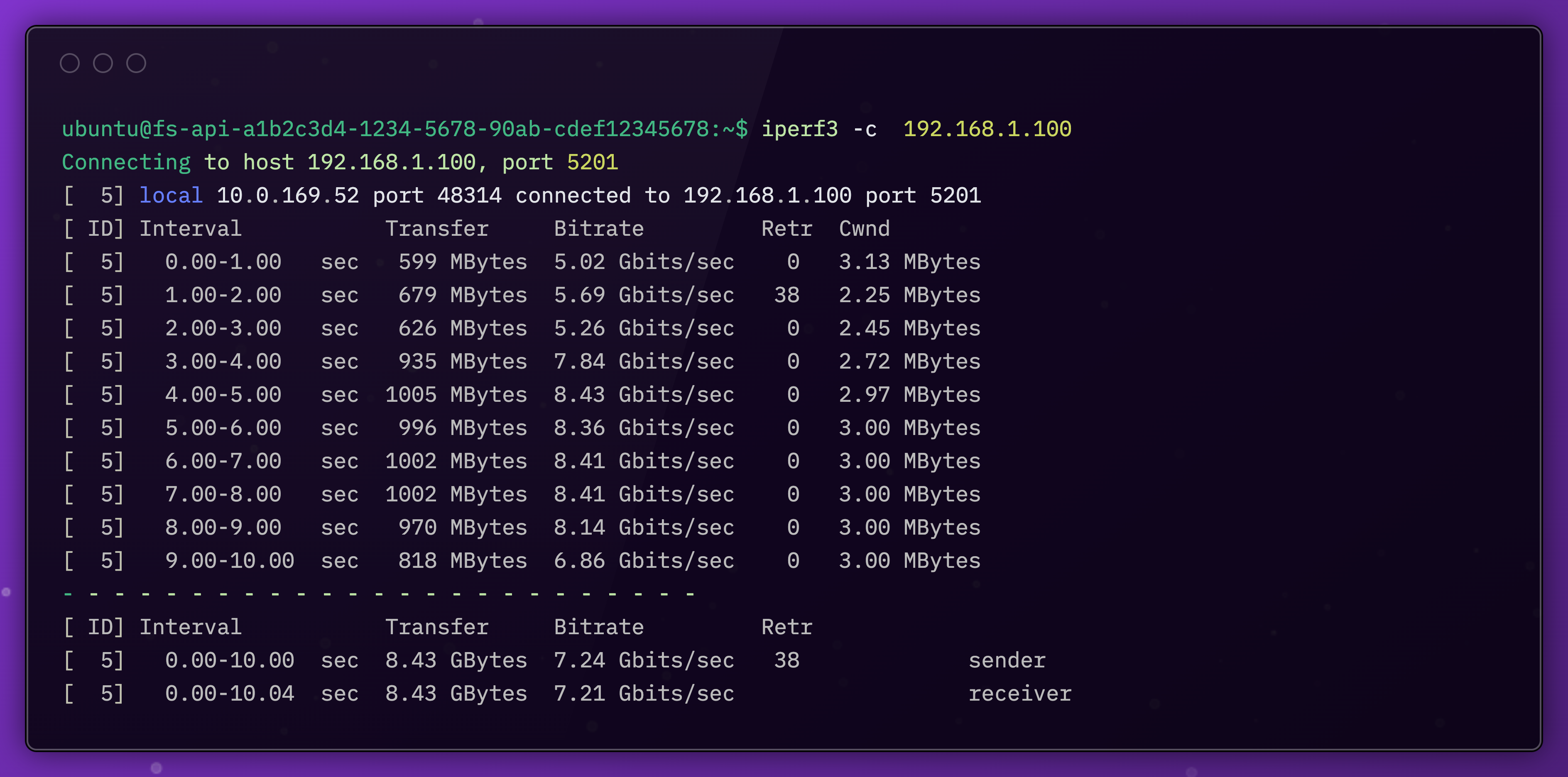
If the network is good (we tend to use >15gbps as a minimum), we can move to the next step and connect the node to our control plane.
Connecting Our Control Plane with Tailscale
On each node, we install software called an agent. We install it on each node, and it communicates with our control plane using Tailscale.
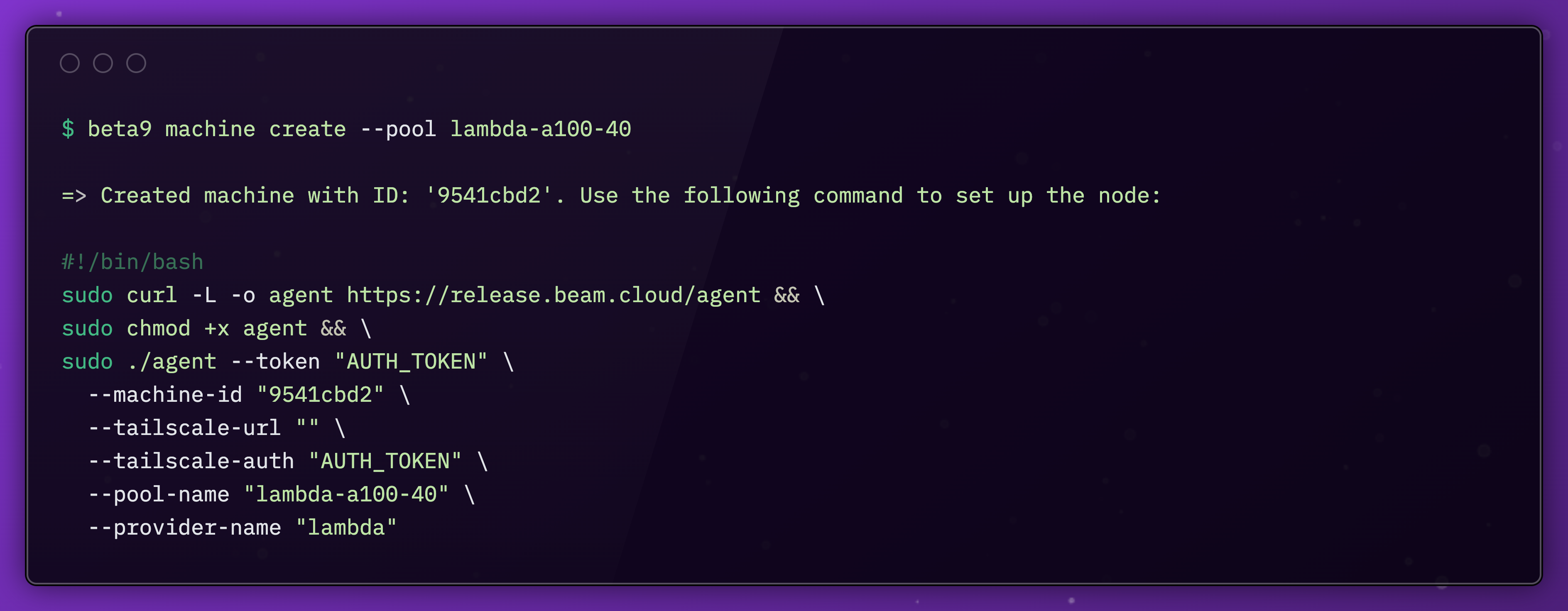
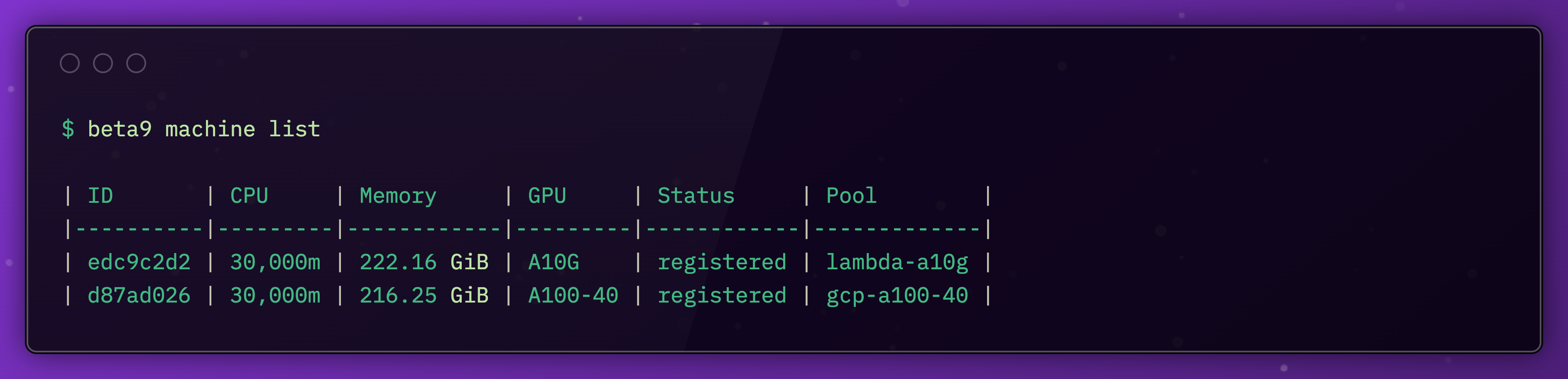
With the agent connected, we can check that the machine is running in our cluster.
Running Compute Workloads
Now we can start running workloads.
In our Python SDK, we’ll add the new machine type.
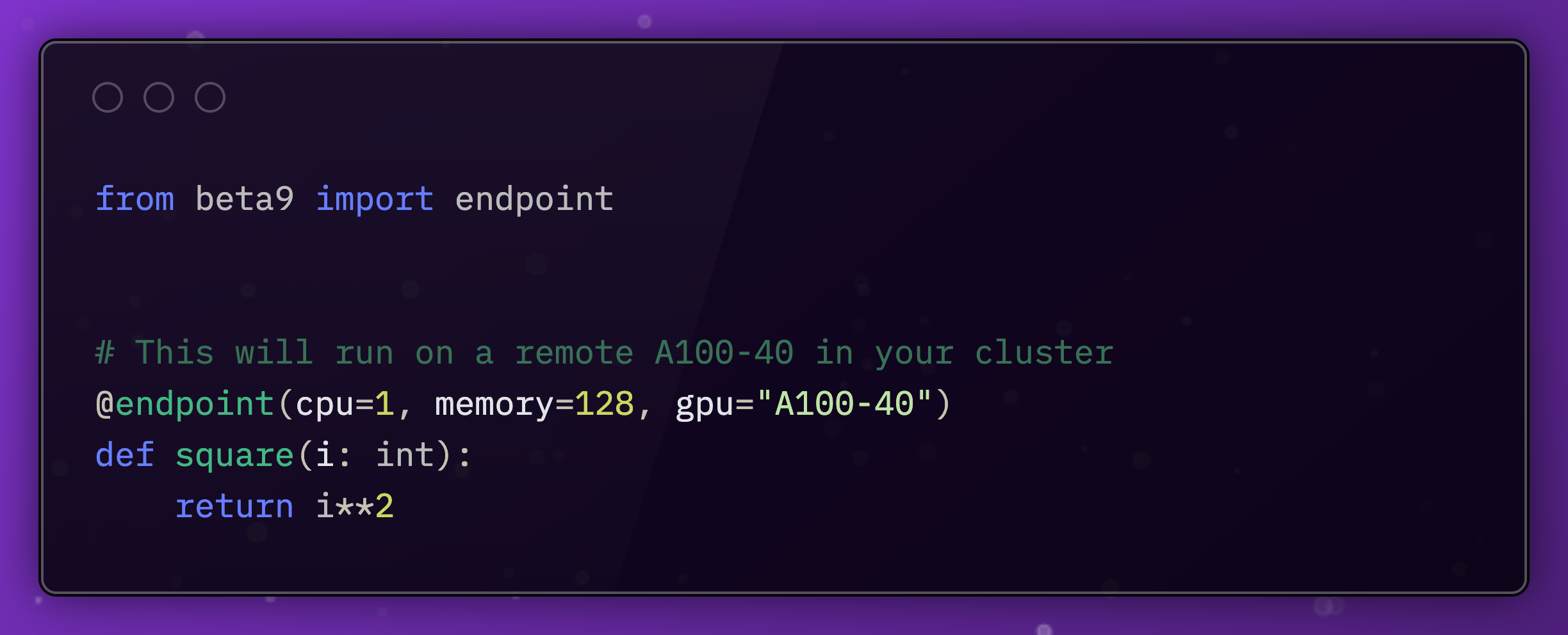
When we run beam deploy app.py this request will get routed to the worker pool we just created.
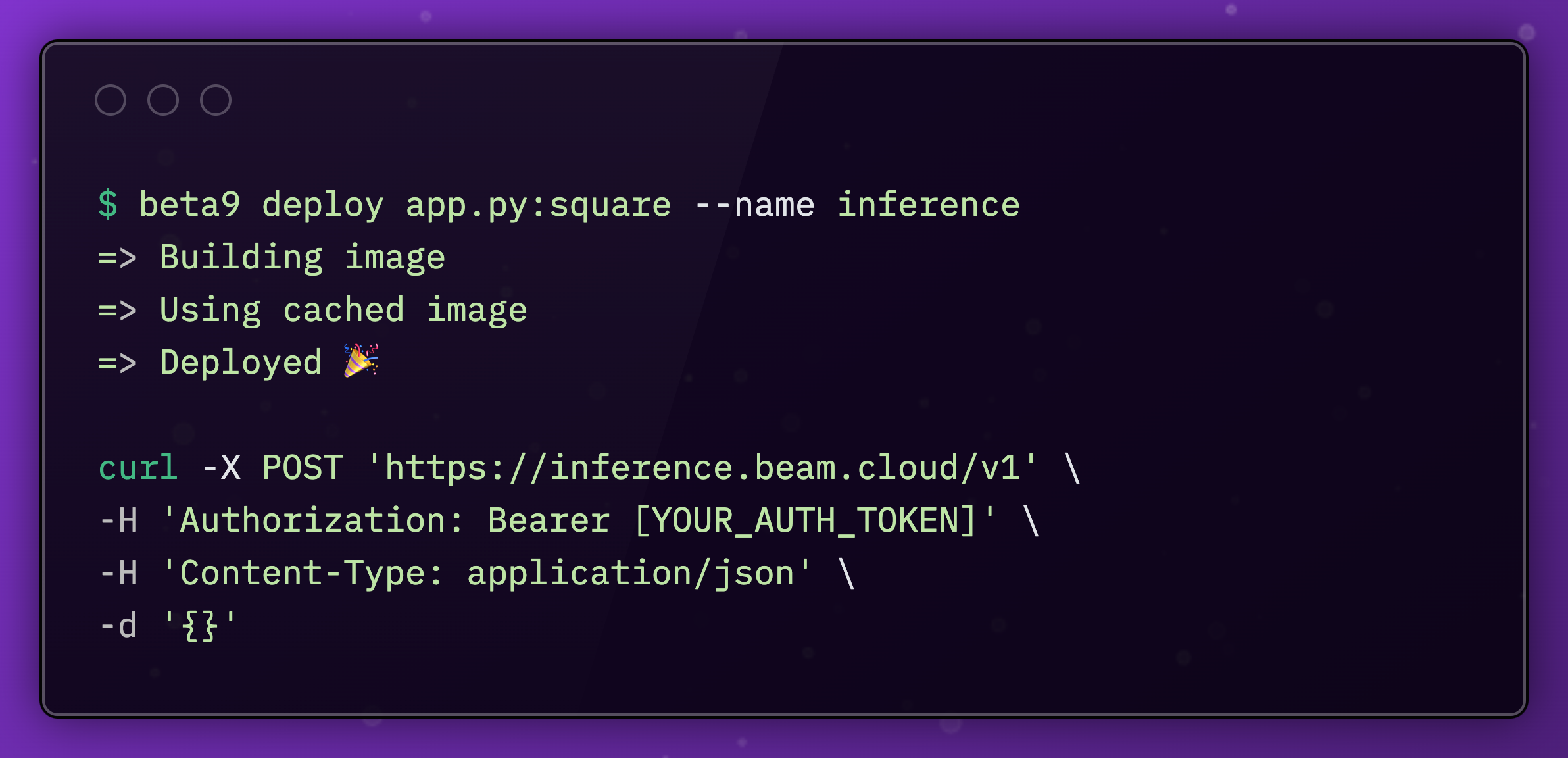
In usual Beam fashion, the container will get scheduled on the worker, and the worker will scale back to zero after each workload.
This is all open source! You can use Beta9 to run workloads yourself, or use our managed service on Beam.
Make sure to checkout and star the Beta9 repo, and you'll be able to run this workflow on your own hardware!